


New York Daily News
3.31.54K Reviews
App Specs
- Version
- 10.0.60
- Updated On
- License
- Free
- Downloads
- 100,000+
- Developer
- Tribune Publishing Inc.
- Categories
- News & Magazines
- Platform
- Android
Screenshots
 Analysis by AppCompare
Sharing a phone or tablet at home changes the way a local news app fits into the day. One person may open New York Daily News for a sports recap, while another checks headlines before heading out. I like that its mix of city reporting, entertainment, and sports gives different readers a reason to use the same publication, but I would treat it as a shared source rather than a shared personal account: each person should make their own choices about alerts, comments, and any paid access.
A practical routine for a shared screen
In a household, the app is most useful when people have distinct reasons to check it. A commuter can scan local headlines in the morning, a sports fan can return later for a game story, and someone who lives outside the city can follow New York developments from a distance. That variety is a real advantage over a single-topic news app, though it also means the home page may not feel equally tailored to every reader.
A simple routine helps keep the experience focused: use notifications only for subjects you personally want to follow, then open the app when you have time for the broader mix. If several people share one device, it is worth agreeing who controls alerts so breaking-news pings do not become household noise. The app’s customizable notifications make that choice useful, but they are not a substitute for separate device or account arrangements.
Keep access and preferences clear
Before relying on the app as a family reading source, I would check how the current version handles sign-in and any subscription prompts directly on the device. The app is free to install, while in-app purchases range from $4.99 to $199.99 per item, so it is sensible to review purchase details before confirming anything, especially on a shared tablet. Those prices are not a reason to assume that every story requires payment; they are a prompt to understand the offer being shown at the point of use.
Shared devices also make small privacy choices matter. A reader may be comfortable sending an article to a friend but not want another person to post a comment under their identity. I would avoid treating a communal device as if everyone’s activity were interchangeable, and I would check who is signed in before commenting or making a purchase. That advice is especially useful when a household member uses the app only occasionally and may not notice which preferences or account are active.
Where this local focus earns its place
New York Daily News is a strong fit for readers who want New York reporting alongside sports and entertainment, rather than a feed devoted only to national headlines. Tribune Publishing Inc. develops the app, and its local identity is the main reason I would keep it in rotation. Its 100K+ installs show that it has found an audience, while a 3.3 average from around 3K ratings suggests reactions are mixed rather than universally glowing.
That balance matters when choosing between this app and a general news aggregator. An aggregator is often better when you want to compare many publishers in one place or build a broad national feed. This app makes more sense when you specifically want a New York-oriented lens and are willing to browse its selection rather than assemble coverage from many outlets. For someone who only wants a quick, neutral overview of major world events, I would use a broader source as the primary reader and keep this one for local context.
Worth Reading Before You Choose

EA SPORTS FC Mobile 26 Is a Bigger Football Game, but It Takes Time

Flipboard Shows What News Apps Must Do Beyond the Feed

Switching to Android Auto Means Rethinking Your Driving Routine

Google Calendar Makes a Crowded Week Easier to Manage

Ludo King Makes the Most of the Minutes Between Plans

Baby Panda World Brings Quick Play to Modern Phones, but Its Game Library Feels Busy
It can also work well as a conversation starter. If a city story affects a commute, a neighborhood, or a local team, sharing the article gives a household something concrete to discuss instead of trading vague impressions from headlines. I would still distinguish reporting from reader comments: the comments can reveal how people are reacting, but an active thread is not proof that every claim in it is reliable.
Age, trust, and everyday judgement
The app is rated Everyone 10+, a useful sign for families deciding whether it belongs on a shared device, but that label does not tell me how every individual article or comment will land with a particular child. News can include upsetting events and heated discussion, so I would read alongside younger users when a subject seems sensitive and use my own judgement about what is appropriate. I would not present the app as a children’s news product.
Its comments section adds a social layer, but that is also where household expectations help. A family can agree that younger readers browse stories without posting, or that adults review a discussion before sharing it. Those are reader choices rather than special family controls, and they help keep the app’s open conversation from being mistaken for a moderated learning space.
For a more deliberate reading habit, I find it useful to open a story from the headline list, read the article before checking the comments, and then share only if it adds something to the conversation. That order reduces the chance of letting the loudest reaction shape an initial impression. It is a small workflow, but it makes a local news app more valuable than simply scrolling through alerts.
The app is free, was released on January 9, 2012, and its current version is 10.0.52, with Android 8.0 as the minimum operating system requirement. Those details make it easier to judge whether an older device can run it and whether the app is worth trying before considering any purchase. I would still check the device’s available storage and update compatibility in the usual way before installing, particularly on a tablet used by several people.
When it comes to staying updated with the hustle and bustle of the Big Apple, the New York Daily News app is like having a piece of the city right in your pocket. As someone who loves staying in the loop, I found this app to be a gem for anyone craving timely news with a local flavor.
First Impressions
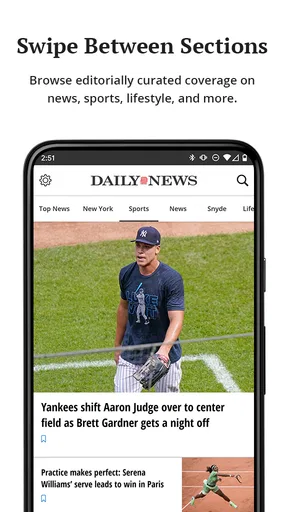
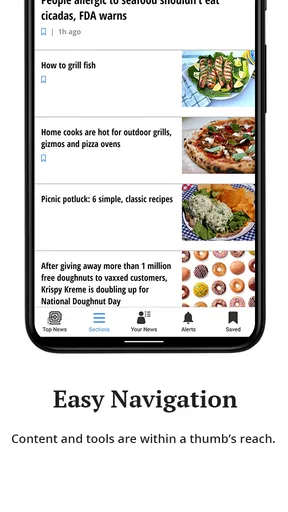
Once I downloaded the app, I was immediately struck by its clean and intuitive design. The interface is straightforward, making navigation a breeze, even if you’re not particularly tech-savvy. The homepage is a neatly arranged collection of the latest headlines, spanning various categories like politics, entertainment, sports, and more. What’s cool is that the stories load quickly, so there’s no frustrating lag when you’re eager to dive into the details.
Features That Stand Out
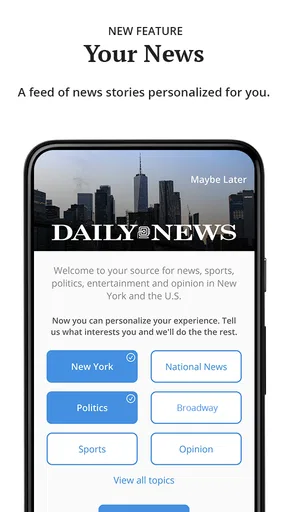
One of the first things I noticed was the customizable notifications feature. You can tailor the alerts to your interests, ensuring you’re only pinged for the news that matters to you. Personally, I set mine up for breaking news and sports updates. It’s like having a personalized news assistant.
The app also offers a vibrant multimedia experience. With galleries and video clips embedded within articles, it feels like the stories truly come alive. There’s something about seeing a live video of a mayoral press conference or a street parade that makes you feel more connected to the pulse of the city.
In-Depth Coverage
If you’re someone who loves digging deeper into stories, the New York Daily News app doesn’t disappoint. The investigative pieces and long-form articles provide comprehensive insights into the city’s most pressing issues. I spent one afternoon reading a deep dive into the city’s public transportation woes, and it was both enlightening and engaging.
User Experience
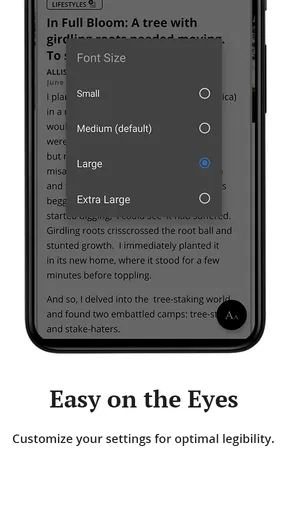
The reading experience is seamless, with adjustable text sizes and a dark mode option that’s perfect for late-night browsing. I found the sharing options to be quite handy, allowing me to effortlessly send articles to friends or share them on social media with just a couple of taps.
Community and Interaction
Another aspect I appreciated was the comments section. It’s a lively platform where readers can share their thoughts and opinions. While the discussions can sometimes get heated (it’s New York, after all), it’s refreshing to see a space where people can engage with the news and each other.
For sports fans, there’s a dedicated section that covers everything from local high school games to professional leagues. I enjoyed the detailed recaps and analyses, which make it easy to stay informed about my favorite teams without having to scour multiple sources.
Room for Improvement
While the app is largely a joy to use, there are a few areas where it could be even better. Occasionally, the ads can be a bit intrusive, interrupting the reading flow. A smoother integration or an ad-free version would enhance the overall experience.
Additionally, while the app offers a wide array of content, it would be great to see more interactive elements, like polls or quizzes, to boost user engagement even further.
Who I’d Recommend It To
I would recommend it most readily to current or former New Yorkers, people following local teams, and readers who prefer their news anchored in one city. It is also handy for someone planning a visit who wants a feel for what is being discussed locally, although I would pair it with practical travel sources rather than rely on a news app for logistics. If your main interest is broad national coverage, or you want every article from several publishers in a single customized feed, another news reader will likely suit you better.
For a realistic weekday use, imagine checking headlines over breakfast, saving your attention for one transportation or neighborhood story, then opening the sports section in the evening. The strength is that the same app can serve those separate moments without asking you to switch between a city-news source and a sports publication. The trade-off is that a wide range of topics takes some browsing; I would use the sections and alerts selectively instead of expecting every visit to surface exactly the story I want.
Making the most of a short visit
When I have only a minute, I treat the headline screen as a scan, not a complete briefing. I open the articles that affect my interests and leave longer features for a quieter moment. That distinction is useful here because the app combines quick updates with more substantial reporting. A notification can point me toward a developing story, but I prefer opening the full article before forwarding it, especially if the headline alone might miss important context.
Multimedia is another reason to choose the right moment. Video and galleries can make a city event easier to understand, but they are less convenient when I am trying to read discreetly or conserve attention in a busy place. In those situations, I switch to text and return to the visuals later. That is a practical trade-off rather than a flaw: the richer presentation is most useful when I can actually give it my attention.
On the practical side, the app is free to download, but the in-app purchase range means I would not tap through a payment screen casually. I would first identify what the specific offer provides and whether it is a one-time purchase or another kind of access, then decide if it matches how often I read. If I only want occasional local headlines, I would start with the free experience; a frequent reader can assess any offer on its own terms rather than assuming that a purchase is necessary.
What the rating tells me—and what it doesn’t
The app has around 1.5K written reviews as well as its ratings, which gives prospective readers more than a single score to consider. I would look for comments that match my own use case—such as reading on a particular device, following sports, or encountering ads—rather than treating one person’s complaint as a universal verdict. A moderate average is a reason to try it with realistic expectations, not a guarantee that the experience will be poor or excellent for everyone.
My own decision would come down to the local angle. If New York stories are part of my daily interests, the app earns space because its reporting, multimedia, and sports coverage belong together. If I rarely follow the city and mainly want a customizable national news mix, I would choose a general aggregator instead and avoid maintaining an app I seldom open.
In conclusion, the New York Daily News app is a fantastic tool for anyone looking to keep up with the city’s fast-paced news cycle. It’s user-friendly, packed with content, and offers a real sense of connection to New York’s vibrant life. Whether you’re a lifelong resident or just someone who loves the city from afar, this app is a must-have on your device. So, go ahead, download it, and let the city come alive at your fingertips.
Pros
- User-friendly interface for easy navigation.
- Timely news updates keep you informed.
- Customizable notifications for preferred topics.
- Offline reading mode available.
- Diverse range of news categories.
Cons
- Ads can be intrusive at times.
- Some features require a subscription.
- Occasional app crashes reported.
- Limited multimedia content.
- No dark mode for night reading.
FAQs for New York Daily News
What features does the New York Daily News app offer?
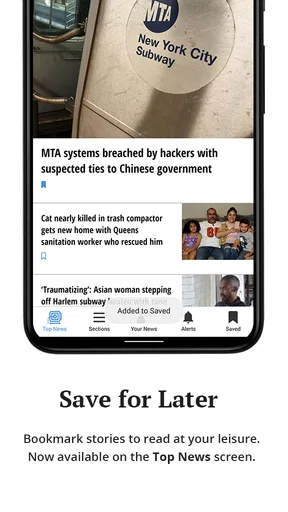
The New York Daily News app provides users with up-to-date news coverage, including breaking news alerts, in-depth articles, opinion pieces, and multimedia content like videos and photo galleries. Users can customize their news feed, save articles for offline reading, and share content directly to social media platforms.
Is the New York Daily News app available on both Android and iOS?
Yes, the New York Daily News app is available for download on both Android and iOS devices. Users can find it on the Google Play Store for Android devices and the Apple App Store for iOS devices, ensuring compatibility with a wide range of smartphones and tablets.
Does the app require a subscription for full access?
The New York Daily News app offers some content for free, but full access to all articles and features typically requires a subscription. Subscription options often include monthly or annual plans, providing unlimited access to content and removing ads for a smoother reading experience.
How can I customize my news feed in the app?
Users can customize their news feed by selecting preferred topics and categories, such as politics, sports, entertainment, or local news. This personalization feature allows users to focus on the news that matters most to them, ensuring a more tailored and relevant news experience.
Is there a way to receive notifications for breaking news?
Yes, the New York Daily News app allows users to enable push notifications for breaking news alerts. This feature ensures that users receive timely updates on important stories as they happen, keeping them informed of major developments in real time.


